Writing/The Unbearable Lightness of Coding
Chapter 4 · 32 min read
Loops: While, For, and the Myth of Anti-Patterns
This time, let's talk about loops.
And to point out our recurring theme one last time: although it might look like a basic topic, it packs a surprising amount of nuance.
We'll talk about while-loops, for-loops, break and continue — but also discuss the myth of anti-patterns, more and less elegant ways of looping, the declarative style of comprehensions and more.
As always, we start with the syntax.
There are two types of loops in Python: while and for. While-loops are just extended if-statements — where an if-statement only evaluates its condition once, and only executes its then-clause if it's true, a while-loop keeps evaluating its condition repeatedly, and keeps executing its "then-clause", or body, as long as it is true:
>>> i = 0
>>> while i < 3:
...     print(i)
...     i += 1
0
1
2
For-loops, at least in C-like languages, are just syntactic sugar for a specific kind of while-loops — like in the previous example, where some counter (or index) is first initialized, and then incremented (or otherwise modified), as long as some condition holds. So in Python, it would look like this:
for i = 0; i < 3; i += 1:
    print(i)
Except, of course, it doesn't; so calling it a for-loop is a bit of a misnomer. In fact, it is inspired by a different, more functional kind of loop — one where we iterate over a sequence and perform something for each of its items:
>>> x = [1, 2, 3]
>>> for i in x:
...     print(i)
1
2
3
So really, it's a for-each loop; and this is an important point, I'm not just nitpicking at terminology.
The Design Gap
Programming languages are designed by people, and as such, there's always some design gap — some difference in the expectations of the users (in this case, Python programmers) and the intentions of the creators (in this case, Python's core developers).
With the if-statement and the while-loop, the design gap is relatively small: we evaluate a boolean expression, and depending on whether it's true or false, do this or that.
I say "relatively", because there's still some gap; for example, we need to know that if-statements and while-loops coerce any expression into a boolean, right? If the condition is a list, it's not actually True or False — Python converts it implicitly, and we need to know that the truth value of a list is false when it's empty and true otherwise. In a different language, like Javascript, this is not the case (a list is always True) — so we can't just rely on intuition; we need to actively learn the language so as to bridge this gap.
Anyway, in a classic for-loop, the design gap is equally small: some initialization, some condition, some modification; nothing much happening behind the scenes. In fact, we could implement it ourselves, if we wanted to, using a while-loop — which sort of proves that we understand how it works.
The same is not true with for-each loops; how exactly they work is not obvious at all. I mean, intuitively, it's clear enough — we iterate over a sequence. But how would you implement it yourself? We can try indexing a sequence from zero to its length:
>>> x = [1, 2, 3]
>>> i = 0
>>> while i < len(x):
...     print(x[i])
...     i += 1
1
2
3
And this might work for a list — but not for a stream, which doesn't have a length, or a set, which can't be indexed. Python's for-loop can handle all these cases, but how?
The For-Loop Protocol
If you don't know the answer to this question, it's OK — a lot of Python programmers don't; just appreciate how you've been using it all this time without fully understanding how it works. This seamless experience is generally indicative of good design; in which case, asking "well, how does it work?" is extra valuable, because we get to see what makes a design good, and hopefully become better designers ourselves.
So, how does it work? First, just like an if-statement implicitly calls the builtin bool function to convert any expression into a boolean, so does a for loop implicitly call the builtin iter function, to convert any iterable expression into an iterator object.
We'll talk more about iterators in a future chapter, when we learn how to implement one; for now, suffice to say it's an object that we can pass into the builtin next function, which would return the next item in the iteration.
This item is then assigned, or unpacked, and some code is executed for it. The process is repeated for the next item, and the next — until the iterator is finished, or exhausted, and raises a StopIteration exception.
The reason you never see this error is that for-loops catch it and suppress it; but if we manually convert, say, a list to an iterator — notice how it's not the same object — and step through it:
>>> x = [1, 2, 3]
>>> it = iter(x)
>>> it
<list_iterator object at 0x...>
>>> next(it)
1
>>> next(it)
2
We'll get the error eventually:
>>> next(it)
3
>>> next(it)
StopIteration
And once we do, once the iterator is exhausted, it's over — calling next again keeps raising the same error, and even plugging it into a loop doesn't work anymore:
>>> next(it)
StopIteration
>>> for i in it:
...     print(i)
# nothing
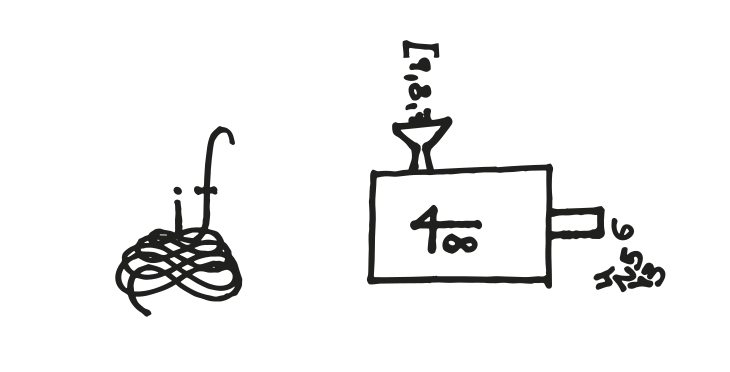
So an iterator is not the same as the original iterable object — in most cases, it's a temporary, one-time pass over it, like an adapter between an arbitrary sequence and Python's for-loop protocol. And that's really cool, since it lets us adapt all sorts of interesting concepts and map them unto this basic and intuitive logic of for-each.
break and continue
So, while-loops are repeated if-statements, and for-loops carry out a generic iteration protocol through simple syntax. Both types support two special statements, which are only allowed inside loop bodies: break and continue.
They're pretty straightforward, really. break aborts the loop, breaking out of it entirely, while continue aborts the current iteration only, skipping the rest of the body and continuing over to the next round.
To understand why and when these statements are useful, let's consider each loop type separately. With for-loops, it's quite obvious — suppose we have a list of user objects, with a name and an activity indicator:
>>> users = [
...     User('alice', is_active=True),
...     User('bob', is_active=False),
...     User('charlie', is_active=True),
... ]
When we iterate over such a sequence, break lets us discard the rest of it. For example, when we're looking for some user by name, once we find it, there's no reason to continue searching:
>>> username = 'bob'
>>> for user in users:
...     print('considering', user.name)
...     if user.name == username:
...         print('found', user.name)
...         break
considering alice
considering bob
found bob
# no need to consider charlie
continue, on the other hand, lets us ignore a particular item. For example, when we want to print all the users' names, except for the inactive ones, which can simply skip those:
>>> for user in users:
...     if not user.is_active:
...         continue
...     print(user.name)
alice
charlie
With while-loops, however, using break and continue is less obvious. If while-loops only repeat for as long as their condition holds true, why would we want to escape our own condition, or circumvent it, from inside the loop? Wouldn't it be better to just define a different, more accurate condition? Distributing the flow control decisions throughout the loop body makes the code harder to follow — shouldn't we aim to consolidate them at its head?
If we were looking for a user in a while loop:
>>> i = 0
>>> while i < len(users):
...     if users[i].name == username:
...         break
...     i += 1
Then we could have augmented the condition to check whether a user has been found yet, and got rid of the break:
>>> found = None
>>> i = 0
>>> while not found and i < len(users):
...     if users[i].name == username:
...         found = user
...     i += 1
So… maybe break is only good in for-loops, and available in while-loops as an insignificant byproduct? But this doesn't really make sense — in C, whence those ideas originated, we don't have for-each loops at all. For-loops are just a subsection of while-loops, and yet break and continue feature in both; how come?
Indefinite Loops
Consider the case of indefinite loops, where we don't know when exactly the loop is going to end. For instance, we might be receiving data from a network connection that might close at any moment — in which case, by convention, an empty string is returned.
This is known as a sentinel value: a special token, like the empty string, which indicates that the party is over. One way to echo data (that is, receive it over a network and immediately send it back, just to check the connection is working properly) is this:
>>> def echo(connection):
...     data = connection.receive()
...     while data != '':
...         connection.send(data)
...         data = connection.receive()
That is, receive some data; and while it's not empty, while it's not the sentinel, do something with it, like send it back; then read some more data and go again. Since our sentinel's truth value is False, we can even clean up the condition:
>>> def echo(connection):
...     data = connection.receive()
...     while data:
...         connection.send(data)
...         data = connection.receive()
And it's not bad. There's still some unfortunate code duplication, however — when we receive the data both before the loop and inside it.
To avoid this, we can opt for an "infinite" loop instead, where we read some data, and if it indicates the loop is over, break out of it; otherwise, we do something, like echo it, and go again:
>>> def echo(connection):
...     while True:
...         data = connection.receive()
...         if not data:
...             break
...         connection.send(data)
Of course, this loop is only "infinite" in the sense that its condition is always true. It still has a clear exit — it's just located in the middle, or towards the end of the code block that we want to repeat, because we can't fully articulate it at the beginning.
Other languages have constructs such as do-while and repeat-until, where the condition is evaluated last; but only a break in an infinite loop lets us put the condition in the middle, or have multiple exit points.
The Myth of Anti-Patterns
The reason I'm telling you all this is that some people consider infinite loops, or even break statements, to be an anti-pattern — something that you should never do. I find this way of thinking completely misguided, on two different levels.
On the first level, "things you should never do" almost always turn out to be "things you should sometimes do". For example, we saw that for indefinite loops, using a plain while-loop results in code duplication, while an "infinite" loop with a break-statement solves it much more elegantly; so on what grounds would anyone insist on not using it?
The problem with this level of discourse is that it usually devolves into an argument over details. Both sides have already made up their mind, and they construct and cherry-pick examples and counterexamples in a petty and uninspiring standoff; let's do it as an exercise, so you see what I mean.
Suppose Alice thinks that while-true is an anti-pattern, so Bob asks her how she would handle an indefinite loop. It turns out that in Python, there's a little-known feature that lets us do just that, with no code duplication and no break-statement.
The builtin iter function can take another function as an argument, followed by a sentinel value, and combine them into an appropriate iterator. As we go over this iterator, it keeps invoking the function and returning its value, until it produces one equal to the sentinel — at which point StopIteration is raised and the loop ends.
In other words, we can rephrase "while data is not empty string" as "for each data until empty string"; and more generally, implement indefinite loops using this for-each until-sentinel paradigm:
>>> def echo(connection):
...     for data in iter(connection.receive, ''):
...         connection.send(data)
It's shorter, but... I don't know. It feels awkward, at least to Bob. In an attempt to avoid some supposed spaghetti code, we've effectively introduced a spaghetti concept, where we need to mentally invoke, compare and assign the elements of the statement we're looking at in a pretty counterintuitive way.
Maybe if it was part of the syntax, like for data in connection.receive until '', it would work... but in its current form, is it really better?
Still, Alice might argue, aesthetics are subjective, and it's a matter of getting used to it. Maybe so, but the argument never stops here.
Infinite Loops
Bob counters with a different example: what if we have an actually infinite loop, like a webserver that receives requests, handles them and sends responses, forever? In this case, there's no sentinel value; the convention would be to put everything in a while-true loop:
>>> def run_webserver():
...     while True:
...         request = receive_request()
...         response = handle_request(request)
...         send_response(response)

>>> run_webserver()
# hangs
In which case, the only way to interrupt it would be with a special signal, like hitting control+C, which raises a KeyboardInterrupt:
>>> run_webserver()
# hangs until ctrl+C, and then…
KeyboardInterrupt
This method is common enough that this exception is implicitly assumed to be part of the normal operation, and the loop is wrapped in try-except that suppresses it for the sake of a "clean exit":
>>> def run_webserver():
...     try:
...         while True:
...             request = receive_request()
...             response = handle_request(request)
...             send_response(response)
...     except KeyboardInterrupt:
...         pass

>>> run_webserver()
# hangs until ctrl+C, and then…
# stops with no error
Well, Alice might argue, maybe don't use such hacky solutions at all, convention or not. Instead of while-true, write a standard while-condition, and establish a proper, asynchronous side channel that can turn this condition false:
>>> running = True
>>> def run_webserver(gateway):
...     while running:
...           request = receive_request()
...           response = handle_request(request)
...           send_response(response)

>>> # execute run_webserver in parallel, then at some point…
>>> running = False
And so it drags on and on, getting more and more particular and elaborate; and from my experience, most bystanders end up more confused than they were before.
An Epistemological Critique
This brings me to my second level of criticism towards this way of thinking: "when do we apply a pattern or not?" is a much less interesting question than "why do we look at design through such a limited lens to begin with?"
The opinion that something is always good, or always bad, is quite an immature, impoverished, and frankly stupid way of looking at anything, let alone design. I don't mean "stupid" in the derogatory sense, just because I don't like it — I mean factually stupid, as in "not smart", because it flat out refuses to learn from other opinions.
Someone saying "never use X" is making an implicit assumption that because something was never useful in their experience, it must follow that it is never useful in anyone's. Giving them counterexamples is futile, because it's an attempt to augment their knowledge — when in fact, the issue is not their lack of knowledge, but the way in which they generalize from what knowledge they have, and think it applies to everyone else.
You might look at an infinite loop, or any other code snippet, and say "I think this is bad" — and you might be right, in this particular case. But if anyone says "something is always bad", they're effectively saying "I have considered all the possible scenarios and concluded that —", at which point their statement is already wrong, so it doesn't really matter what their conclusion is. It's like short circuitry, see? The first part is already false, so what comes after the "and" doesn't matter.
So if someone thinks infinite loops are bad, and frames it in absolute terms, the issue is not really with infinite loops, it's with the framing; what we need to understand is why they avoid infinite loops, not how they avoid them. Giving evidence for infinite loops being useful is not going to convince them, because the simple and honest truth is that their argument is correct: everything you can do with an infinite loop, you can also do without it.
But then, why draw the line here? We can do away with loops altogether — some low-level languages have a simple, unconditional jump to an exact location, like goto LABEL, and it's quite enough. With an if-statement (or several), we can use it to construct any loop we want:
i = 0
LOOP_START:
if i > 3:
    goto LOOP_END
print(i)
i += 1
goto LOOP_START
LOOP_END:
# program continues
It might look primitive, but this paradigm was used to put a man on the moon, so let's not pretend it's a question of utility. The funny part is that goto, which still exists in languages like C++ and PHP today, is also considered to be an anti-pattern; what can I say, people seem to have very strong opinions when it comes to flow control :(
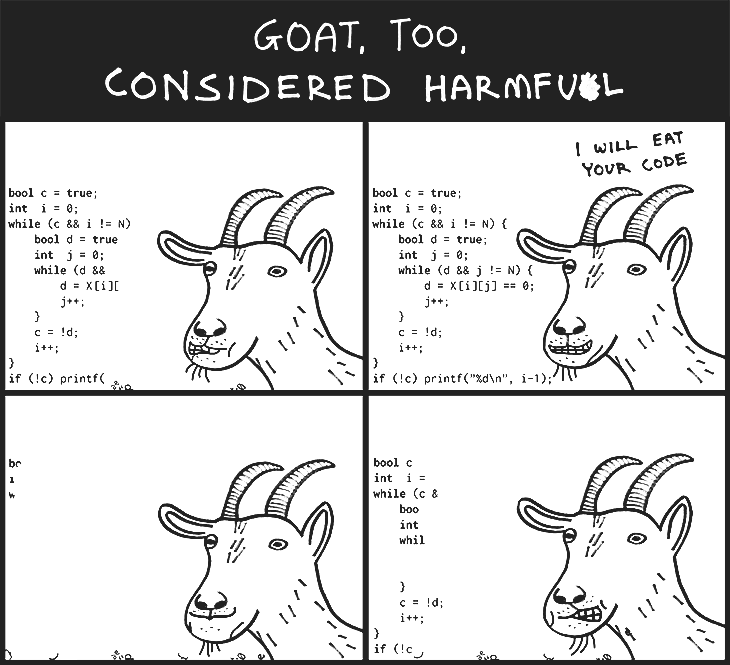
Goto Considered Harmful
We can trace this attitude to 1968, when one of the most famous computer scientists, Edsger Dijkstra, published one of the most famous essays in computer science, Goto Statements Considered Harmful; in it, he laid out some really abstract reasoning as to why you shouldn't use goto.
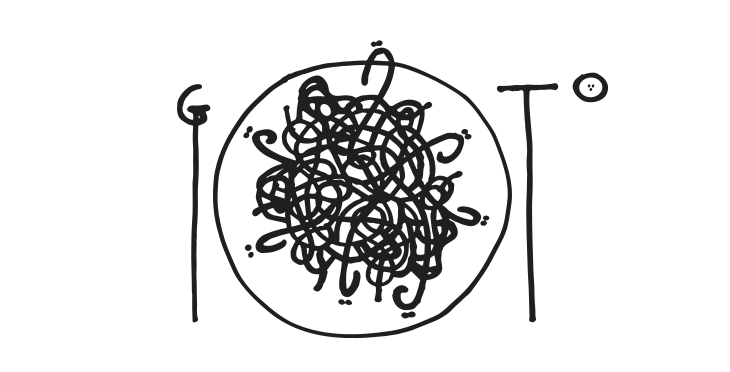
It says a lot about Dijkstra's prestige that most programmers I know agree with him that gotos are bad; and it says a lot about the quality of his argument that they can't really repeat it and explain why. They usually say it leads to spaghetti code, because we end up jumping all over the place — but when you point out that this is exactly what happens with functions (let alone that the way goto is usually used is extremely structured and predictable in comparison), they start mumbling.
To be fair, Dijkstra's actual argument is more nuanced, but also quite strange. Basically, he makes a certain assumption about how someone — presumably, himself — keeps track of program execution, and points out how goto makes this task harder. It's an interesting point, but it's also, like, his opinion, man. I would argue that most people don't reason about programs the way he does, so his attempt to shepherd the confused masses away from temptation is quite patronizing.
A much more enlightening essay, at least in my opinion, is Frank Rubin's response to Dijkstra: "Goto Considered Harmful" Considered Harmful, in which he points out how actual programmers use goto, and how much poorer their code is when they insist not to.
Dijkstra's response, On a Somewhat Disappointing Correspondence, is hilariously obnoxious: in it, he attempts to prove that he's a better programmer than those mentioned by Rubin — and if only they were as good as him, they wouldn't need goto either.
And you know what, he was a better programmer than most. But seeing as people are different, maybe we ought to let them think and experiment and invent in different ways; and maybe we'll all learn something new as a result. Declaring anti-patterns only serves to limit people's curiousity, imagination and sense of possibility — especially when it comes from someone who's "too big" to argue with, in which case people might take this toxic "sage" advice at face value.
The Else-Clause
Anyway, back to loops.
We talked about while and for, break and continue, indefinite and infinite loops, and why there's no such thing as an anti-pattern. The last thing we have to cover is the else-clause, which is a bit strange.
In most languages, loops don't have an else-clause; but if you think of while-loops as extended if-statements, it sort of makes sense — or at least, it looks like it belongs. Initially, though, its purpose is unclear; I mean, a loop ends when its condition is no longer true, at which point it moves on to its else clause:
>>> i = 0
>>> while i < 3:
...     print(i)
...     i += 1
... else:
...     print('done')
0
1
2
done
So how is it different from just adding the same code right after the loop?
>>> i = 0
>>> while i < 3:
...     print(i)
...     i += 1
... print('done')
0
1
2
done
Admittedly, in this case, it isn't.
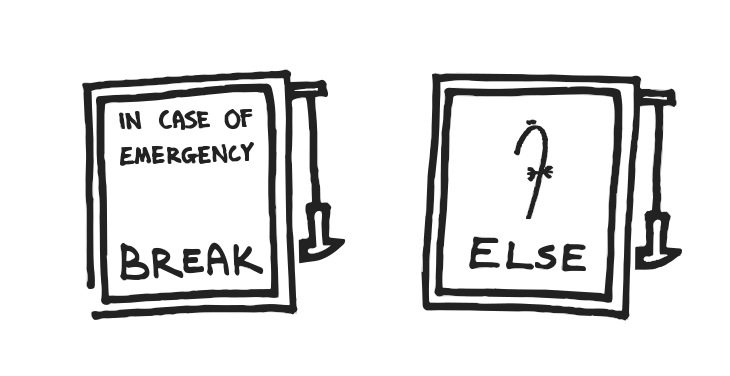
The difference manifests when we exit the loop through a break-statement, in which case its condition can still be true — so the else-clause is skipped. Like I said, its logic is a bit convoluted; a better way to think of it might be as a no-break clause — something that happens only when the loop ends "naturally", when it isn't aborted.
Looking for Alice
To give an example, suppose we're looking through a list of users for one named Alice:
>>> username = 'alice'
>>> for user in users:
...     if user.name == username:
...         break
>>> user.name
?
Our first attempt isn't going to work for an empty list:
>>> users = []
>>> for user in users:
...     if user.name == username:
...         break
>>> user.name
NameError: name 'user' is not defined
Because if the loop doesn't happen at all, user is never assigned. Preparing a default user in advance seems to solve it:
>>> user = User('guest')
>>> for user in users:
...     if user.name == username:
...         break
>>> user.name
'guest'
But leads to another problem — if the list is not empty, but nor does it contain Alice:
>>> users = [User('bob'), User('charlie')]
Then we end up with the last user instead of the default one:
>>> user = User('guest')
>>> for user in users:
...     if user.name == username:
...         break
>>> user.name
'charlie'
That's because the loop reassigns user in every iteration, so it gets stuck with the value of the last one. It seems that we have no choice but to introduce a special flag, so that unless our user is found, we fall back to the default:
>>> user_found = False
>>> for user in users:
...     if user.name == username:
...         user_found = True
...         break
>>> if not user_found:
...     user = User('guest')
>>> user.name
'charlie'
In which case everything finally works, but it's a bit of a mess. The same thing can be achieved more elegantly with an else-clause:
>>> for user in users:
...     if user.name == username:
...         break
... else:
...     user = User('guest')
If the user is found, that's when we break, so the else-clause doesn't happen; and if no user is found, whether because the loop finished or didn't happen at all, then the else-clause does happen, and we can put the default case there.
To be fair, the same thing can be achieved without an else-clause, simply by extracting this code into a function, where we can use return statements to better control the flow:
>>> def find_user(users, username):
...     for user in users:
...         if user.name == username:
...             return user
...     return User('guest')
Breaking Out of Nested Loops
Another interesting example is how to break out of a nested loop:
>>> xs = [1, 2, 3]
>>> ys = [2, 3, 4]
>>> for x in xs:
...     for y in ys:
...         print(x, y)
...         if x == y:
...             ?
1 2
1 3
1 4
2 2
# should stop here
Here, we iterate x from 1 to 3, and for every x we iterate y from 2 to 4. If at any point x equals y — that is, when they're both 2 — we want to abort the entire loop; but how would you do it? Go ahead and try, it's surprisingly tricky.
Incidentally, if we had a goto statement in Python, this would be trivial; we could simply add a label at the end of the loop, and goto there, like a local return statement:
for x in xs:
    for y in ys:
        print(x, y)
        if x == y:
            goto END
END:
Which looks like a pretty straight noodle to me; as far as spaghetti code goes, it's somewhat undercooked. But since this is so objectively hard to follow, even for great minds like Edsger Dijkstra, here's what we do in Python instead:
>>> for x in xs:
...     for y in ys:
...         print(x, y)
...         if x == y:
...             break
...     else:
...         continue
...     break
1 2
1 3
1 4
2 2
That is, we break out of the inner loop, and then we break out of the outer loop. But if we had just these two break-statements, the loop would stop after just one outer iteration, right? So we also add an else-clause to the inner loop: if it's exhausted (that is, no break), then we continue to the next round, escaping the second break by the skin of our teeth; and if we do break, then we skip this continue, and cascade on subsequent breaks all the way out.
That's what usually happens when we take away people's "bad practices" — they come up with even worse practices, and all because the experts, who could have been guiding them, figured it would be easier to herd them.
But sarcasm aside, this code is pretty hard to follow, so if you ever need to do something of this sort in real life, my recommendation would be to put it in a function — that magical block of code where we are allowed to use goto END in the guise of return:
>>> def print_until_equal(xs, ys):
...     for x in xs:
...         for y in ys:
...             print(x, y)
...             if x == y:
...                 return
Elegant Looping
Having said all that, I'd be remiss if I didn't share some best practices for looping.
While I don't really believe in anti-patterns, I do find that people repeat certain patterns that are needlessly complicated or confusing. Maybe they have good reasons for it — in which case, go right ahead — but just in case they don't know what they don't know, I think it's worth going over.
Suppose we want to iterate over a list of, say, colors:
>>> colors = ['red', 'green', 'blue']
Coming from different languages, we might try to run a counter over a range, from zero to the list's length, so as to index it at each stop:
>>> for i in range(len(colors)):
...     print(colors[i])
red
green
blue
This works, but as we saw, Python for-loops are actually for-each loops, so iterating over colors can be done in a much more native and elegant fashion:
>>> for color in colors:
...     print(color)
red
green
blue
But how, you might ask, do we loop in reverse? With a counter, we could do some index math and get it right, clunky thought it may be:
>>> for i in range(len(colors)):
...     print(colors[len(colors) - i - 1])
blue
green
red
Or, if you're familiar with the builtin range function, use it to generate the index in reverse, from len(colors) - 1 all the way down to and including 0 (i.e. down to and excluding -1), stepping in "increments" of -1:
>>> for i in range(len(colors) - 1, -1, -1):
...     print(colors[i])
blue
green
red
Or, if you're familiar with Python's slicing notation, you take the whole sequence, from start to finish, in step of -1, which effectively reverses it:
>>> for color in colors[::-1]:
...     print(color)
blue
green
red
This is pretty short and sweet, but creates a full copy of the original sequence, which can be very wasteful for larger lists. Instead, we can use the builtin reversed function:
>>> for color in reversed(colors):
...     print(color)
blue
green
red
This returns an iterator that goes over the original object in reverse — it's faster, lighter, and eminently more readable.
Well, you might say, but what if we actually need the index along with its item? Surely we have to use it then:
>>> for i in range(len(colors)):
...     print(i, colors[i])
0 red
1 green
2 blue
Turns out, Python has a builtin function for that, too — enumerate, which takes a sequence and produces an iterator that returns not only the item, but also its index, in a pair that can be elegantly unpacked:
>>> for i, color in enumerate(colors):
...     print(i, color)
0 red
1 green
2 blue
We can even pass an extra argument to enumerate, to determine what index it starts counting from:
>>> for i, color in enumerate(colors, 1):
...     print(i, color)
1 red
2 green
3 blue
Parallel Looping
What about looping over multiple lists? Suppose we also have a list of shapes:
>>> shapes = ['triangle', 'square', 'circle']
And we want to match them to our colors. Doing so with an index is cumbersome — to be safe, we have to iterate over the shortest of the two:
>>> for i in range(min(len(colors), len(shapes))):
...     print(colors[i], shapes[i])
red triangle
green square
blue circle
Or, we can use the builtin zip function. It takes several iterables and produces an iterator that goes over them horizontally, returning a tuple with all their first items, then a tuple with all their second items, and so on — until at least one of them runs out:
>>> for color, shape in zip(colors, shapes):
...     print(color, shape)
red triangle
green square
blue circle
What if we want to iterate over the longer list, and use some default value when the other list is too short? With indexing, it looks something like this:
>>> colors.append('yellow')
>>> for i in range(max(len(colors), len(shapes))):
...     color = colors[i] if i < len(colors) else 'colorless'
...     shape = shapes[i] if i < len(shapes) else 'blob'
...     print(color, shape)
red triangle
green square
blue circle
yellow blob
Which is pretty horrible; and this time, there's no builtin function to rescue us. But one step further, in the itertools module of the standard library, we find zip_longest — which does exactly what its name implies, padding the shorter list with Nones. Add an or trick on top, and we get:
>>> from itertools import zip_longest
>>> for color, shape in zip_longest(colors, shapes):
...     print(color or 'colorless', shape or 'blob')
red triangle
green square
blue circle
yellow blob
As an aside, both zip and zip_longest can take any number of iterables — here's how zip looks like with three:
>>> xs = 1, 2
>>> ys = 3, 4, 5
>>> zs = 6, 7, 8, 9
>>> for x, y, z in zip(xs, ys, zs):
...     print(x, y, z)
1 3 6
2 4 7
As you can see, zip stops as soon one of its arguments is exhausted; to enforce that all of that all of them are of the same length, we can set the strict keyword argument to True and get an error if this is not the case:
>>> for x, y, z in zip(xs, ys, zs, strict=True):
...     print(x, y, z)
ValueError: zip() argument 2 is longer than argument 1
As for zip_longest:
>>> for x, y, z in zip_longest(xs, ys, zs):
...     print(x, y, z)
1 3 6
2 4 7
None 5 8
None None 9
If we want to fill in missing values with anything other than None, we can pass it with the fillvalue keyword argument — for example, to pad the shorter iterables with zeros:
>>> for x, y, z in zip_longest(xs, ys, zs, fillvalue=0):
...     print(x, y, z)
1 3 6
2 4 7
0 5 8
0 0 9
For Each Their Own
All this boils down to a pretty fundamental difference betwen for-loops and for-each loops.
A for-loop is a shorthand for a while-loop that modifies an index; going over the sequence is really of secondary concern, derived from the way in which the loop counter changes. But then, if we need to go over a sequence in some particular way — like in reverse or in parallel — we need to express this through the counter, which forces us to think in terms of index manipulation.
For-each loops do away with all this, and focus on the sequence itself. The question is no longer "how do we iterate over this?", but rather "what would we like to iterate over?"
Assuming that there's really only one way to iterate over something — that is, go over its elements from start to finish — we focus instead on what has to happen in order for this to work.
This way, instead of concieving of a parallel or reverse iteration, we imagine a transformation that will make our sequence somehow parallelized or reversed; and Python often comes equipped with whatever we need, whether it's zip or reversed. The point is that even when it doesn't, we don't have to resort to indexing, which overcomplicates the nature of a simple loop — we just have to figure out how to transform our data into the kind of sequence that we'd like to go over, and we'll learn how to write such transformations soon enough.
List Comprehensions
One last thing to say about for loops is that they can be condensed into comprehensions — a more functional, mathemtical notation of sequences. If we have a small loop, just to calculate an expression and append it to a list:
>>> squares = []
>>> for i in range(10):
...     squares.append(i**2)
>>> squares
[0, 1, 4, 9, 16, 25, 36, 49, 64, 81]
Then we might consider doing it in one line, by putting the expression followed by the loop header between square brackets:
>>> squares = [i**2 for i in range(10)]
>>> squares
[0, 1, 4, 9, 16, 25, 36, 49, 64, 81]
If we're only interested in some of the values, and have a simple if-statement:
>>> odd_squares = []
>>> for i in range(10):
...     if i % 2 != 0:
...         odd_squares.append(i**2)
>>> odd_squares
[1, 9, 25, 49, 81]
We can tuck it at the end, and only expressions that match it will be included:
>>> odd_squares = [i**2 for i in range(10) if i % 2 != 0]
>>> odd_squares
[1, 9, 25, 49, 81]
We can even do nested loops, although this can get pretty confusing, pretty fast:
>>> [x * y for x in range(3) for y in range(3) if x % 2 == 0]
[0, 0, 0, 0, 2, 4]
Whenever you struggle to decipher something like this, just break it into several lines, and indent them the way you would if it wasn't a comprehension:
>>> [
...     x * y
...     for x in range(3)
...         for y in range(3)
...             if x % 2 == 0
... ]
[0, 0, 0, 0, 2, 4]
This should reveal the structure, with the expression itself at the top; the equivalent nested for loop is indeed:
>>> even_products = []
>>> for x in range(3):
...     for y in range(3):
...         if x % 2 == 0:
...             even_products.append(x * y)
... even_products
[0, 0, 0, 0, 2, 4]
Other Comprehensions
We can do the same with sets, just by using curly braces instead of square brackets — it's a nice, quick way to eliminate duplicates:
>>> {x * y for x in range(3) for y in range(3) if x % 2 == 0}
{0, 2, 4}
And if we add a colon, it becomes a dictionary comprehension, where we can compute both the key and the value per item:
>>> {str(i): i**2 for i in range(5)}
{'0': 0, '1': 1, '2': 4, '3': 9, '4': 16}
This gives us a nice, clean way to transpose a dictionary:
>>> d = {'x': 1, 'y': 2}
>>> {value: key for key, value in d.items()}
{1: 'x', 2: 'y'}
Or to intersect dictionaries:
>>> d1 = {'x': 1, 'y': 2}
>>> d2 = {'y': 2, 'z': 3}
>>> {key: value for key, value in d1.items() if key in d2}
{'y': 2}
And so on. Just note that there are no tuple comprehensions — if you use parentheses with an inline for-loop, you get something else, which we'll discuss in more details when we talk about generators:
>>> (i**2 for i in range(5))
<generator object <genexpr> at 0x...> # not a tuple
Now, comprehensions look cool, and they can be slightly faster than explicit loops — but they're also a bit harder to read, and much harder to maintain. Since code is read more often than it is written, whenever I write a comprehension that I'm not sure about, I also write out the explicit loop, just to see which one I'm more comfortable with — and if I know that I'll probably have to touch this code again in the future, I tend to use the explicit version, just so it's easier to add statements, comment them out, put a debugging breakpoint and so on. Unless some comprehension is particularly compelling, I prefer building it step by simple step — but then again, that's just, like, my opinion, man.
Loops: Conclusions
To sum up, we saw that while loops are actually extended if-statements, and that for-loops are actually for-each loops, operated by a surprisingly clever protocol; we talked about break and continue, and how they can be used to abort, skip, or manage an indefinite loop; we figured out the else-clause, its purpose and its alternatives; saw how complicated loops can be reimagined in terms of sequence transformations; and learned how to inline all of this in dense, powerful comprehensions.
In other words, we talked about how loops work, and what they can do. But more importantly, we talked about what they should do, and whether such a question even makes sense. If programming is a way to articulate our thoughts, then the first thing we need to learn is to understand and appreciate other people's thoughts. If they see things differently, it's only because things literally look different from where they stand — and the day we start making decisions for them is the day we stop learning. It doesn't mean that everything is relative and subjective — there are better and worse ways to write a for-loop or a comprehension — just that we can come at it with an attitude of openness and curiousity, rather than one of snobbery and contempt.
Loops: Further Reading
- An iconic talk that touches on elegant looping is by Raymond Hettinger, from 2013.
- A more advanced and comprehensive overview is given in by Ned Batchelder, also from 2013.
- I mentioned Dijkstra's , as well as Rubin's and Dijkstra's retort, . There's also , but honestly this one is already a bit tedious.
- As with other basic topics, the standard documentation is lacking: there are snippets on the flow control of , , as well as the and specifications, and bits on in the data structures section.
- Of the builtin functions we discussed, you can read more on , , , , and .
- introduces the protocol used by for-loops.
- discusses reverse iteration, covers enumeration, and proposes the builtin
zipfunction for parallel (or lockstep) iteration. - adds the
strictkeyword to the builtinzipfunction. - defines the syntax of list comprehensions, and extends it into dictionary comprehensions.